![apxium-logo.png]](https://support.apxium.com/hs-fs/hubfs/Logos/apxium-logo.png?width=144&height=50&name=apxium-logo.png)
How to Submit a Ticket
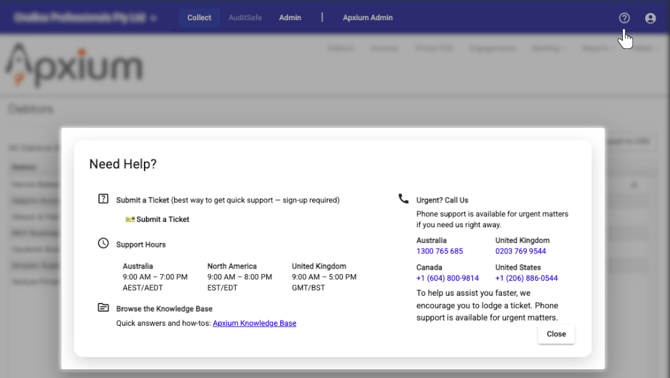
You can lodge support requests directly through your Apxium dashboard. To submit a ticket:
-
Log into your Apxium dashboard.
-
Click the question mark icon (?) located in the top right corner.
-
Click “Submit a Ticket.”
Fill out the form and send your request.
For real-time progress tracking and a complete view of all your tickets in one location, we highly encourage you to register for the Support Ticketing Portal. A login is necessary to access your full ticket history.
How to CC others on your ticket
-
Lodge your ticket as you normally would.
-
After the ticket is lodged, navigate to the Shared with section.
-
Enter the email address of each person who should be kept in the loop on your ticket’s progress. You can include as many recipients as you need.

Ensure You Receive Our Replies
To prevent important support messages from being marked as spam, please ensure the domain used by our ticketing system is whitelisted.
Ask your IT or Security Team to add onebox.atlassian.net to your approved senders list (whitelist). All official Apxium Help Desk tickets and responses are sent from this domain.